Invisible link in the automation chain
When people talk about the lifetime of a profile in an anti-detect browser, they usually focus on the browser fingerprint, proxies, and behavioral patterns. But there is one critical, often overlooked, link – the choice of CAPTCHA-solving service. And this exact choice can shorten a profile’s time-to-live (TTL) from weeks to days, or, on the contrary, extend it to months.
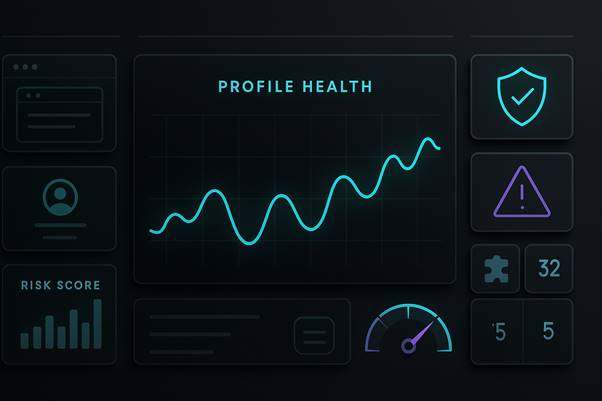
Why? Because incorrectly solved CAPTCHAs produce a clear pattern for anti-bot systems. When a website sees that:
- a CAPTCHA is solved in 1-3 seconds (while a normal human solves it in 10-40 seconds);
- every fifth attempt is wrong (whereas humans rarely exceed 5% error rate);
- solutions arrive at a constant speed, at any time of day or night;
- after a single failure the profile suddenly falls into an endless challenge loop,
…it concludes that it is not dealing with a human but with a bot backed by an automatic CAPTCHA-solving service.
The profile’s Detection Rate spikes. TTL drops. The profile starts seeing a CAPTCHA on every second action instead of, say, once a week.

Let’s break down how different CAPTCHA-solving services (2Captcha, SolveCaptcha, CapSolver, AntiCaptcha, CapMonster, etc.) affect automation metrics: Detection Rate, TTL, and the number of CAPTCHAs per 1000 actions. And why the exact same MuLogin profile can be “alive” or “dead” not because the browser fingerprint changed, but simply because you switched to a slower CAPTCHA service.
How anti-bot systems detect CAPTCHA-solving services
Behavioral markers seen by DataDome / Castle / Cloudflare
Modern protection systems (DataDome, Castle, Radware Bot Manager, etc.) don’t just check whether the CAPTCHA was solved. They analyze hundreds of signals around that solution.
Key ones include:
Solve time
A typical human solves:
- a simple text CAPTCHA: 10-30 seconds;
- reCAPTCHA v2 with several rounds: 20-60 seconds, sometimes up to 2-3 minutes if it’s tricky;
- complex visual puzzles: 30-120 seconds.
CAPTCHA-solving services (2Captcha, AntiCaptcha, etc.):
- simple CAPTCHA: 5-15 seconds;
- reCAPTCHA v2: 10-20 seconds.
Hybrid and fully AI-based CAPTCHA-solving services (SolveCaptcha, NoCaptchaAI):
- simple text: 3-5 seconds;
- reCAPTCHA v2: 1-3 seconds (!).
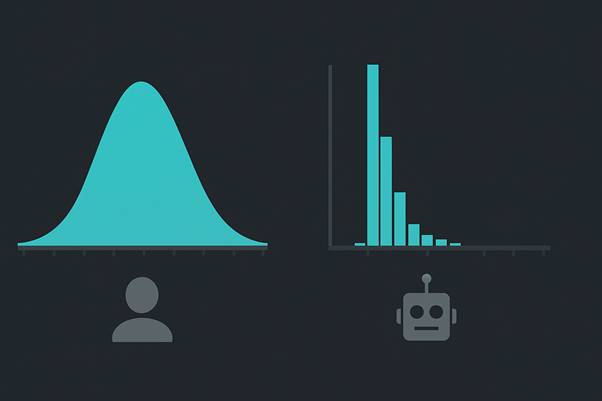
The anti-bot system sees a histogram of solve times per profile/IP. If it clusters tightly around 2-5 seconds (especially for difficult types), that’s a clear signal.
Errors and retry patterns
A typical human:
- answers correctly on the first try in ~95% of cases;
- if they make a mistake, they retry once or twice (usually succeeding on the second or third attempt);
- errors are randomly distributed (no consistent pattern).
Manual CAPTCHA-solving services:
- accuracy 95-99% if you have a retry mechanism in place;
- but occasionally produce obvious mistakes (wrong language, swapped letters, etc.);
- if the service is integrated poorly: 1-5% first-try errors for a new provider.
Hybrid and fully AI-based CAPTCHA-solving services:
- accuracy on simple types: 99%+;
- on complex cases (new types): can be 85-95%;
- but the regularity of errors on new types can itself be a signal (AI often fails in the same way, on the same type, for all solutions in a row).
Cyclic and “uniform” solutions
The anti-bot system checks whether for the same challenge (same type) the solutions arrive too uniformly (all in 3.2 seconds, all with the same answer structure). That can indicate automation.
Real people are more chaotic: one solves in 8 seconds, another in 45, a third may request an audio CAPTCHA, a fourth reloads the page.
Comparing CAPTCHA services by impact on TTL and Detection Rate
Now let’s look at the main players on the market and how they affect the “health” of a profile.
Core service metrics
| Service | Type | Accuracy | reCAPTCHA v2 speed | Simple CAPTCHA speed | Max throughput | First-try error rate |
| 2Captcha | Manual | up to 99% | 10-20 s (avg ~20 s) | 7-15 s | high (~10K/min) | 1-5% (depends on queue) |
| SolveCaptcha | Hybrid | up to 99% | 4-13 s (avg ~4.5 s) | 2-5 s | extremely high (~12K/min) | <1% on popular types |
| CapSolver | AI | 95-99% (99% on reCAPTCHA v2/v3) | <1-3 s | <1 s | huge (>1000/min) | on new types: 10-15% |
| CapMonster | AI | 95-99% (99% on Google) | <1-2 s | <1 s | 1000/min | <5% on standard types |
| AntiCaptcha | Manual | 95-99% | 10-20 s | 5-15 s | high | 1-5% |
| DBC (DeathByCaptcha) | Hybrid | 90-99% | 15-35 s | 5-10 s | medium | 2-8% |
| NoCaptchaAI | AI | 95-99% | 3-5 s | 0.2-0.5 s | ~500/min | 10-20% |
Speed and stability are often opposites. The fastest services (CapSolver, CapMonster, NoCaptchaAI) are AI-based and can produce a clear detection signal via their speed. The most “human-like” (2Captcha, AntiCaptcha) are slower.
How CAPTCHA-service metrics impact profile TTL and Detection Rate
Let’s say you have a MuLogin profile on a website that asks for a CAPTCHA once a day at login. The profile is otherwise “clean”: good fingerprint, residential proxies, natural pauses between actions.

Scenario A: You use DeathByCaptcha (hybrid, fast)
First week:
- CAPTCHAs are solved in ~4-5 seconds on average;
- The website starts noticing the unnatural speed;
- The profile’s Detection Rate slowly grows from 5% (baseline) to ~15%.
Second week:
- The website begins adding checks during password and 2FA entry;
- You start getting SMS prompts for “suspicious activity”;
- The profile TTL drops from the expected “2 months” to ~2 weeks;
- The profile isn’t banned yet, but moves into a high-score risk segment and is constantly challenged.
Scenario B: You use 2Captcha (manual)
First week:
- CAPTCHAs are solved in ~15-20 seconds on average;
- That sits right in the middle of the “human” range (10-60 s);
- The website doesn’t see any obvious anomaly;
- Detection Rate stays at the baseline: ~5-8%.
Second week:
- Nothing really changes (or changes very slowly);
- The profile continues to live like a normal account for another 2-3 weeks;
- Expected TTL: 3-4 months (normal for a “non-organic” but carefully controlled account).
Scenario C: You use CapSolver (AI, ultra-fast)
First week:
- CAPTCHAs are solved in 1-3 seconds (!);
- That’s clearly outside the human range (almost no normal user responds that fast);
- The website immediately raises the risk score;
- Detection Rate jumps to 30-50%.
Second week:
- Challenges appear on almost every action;
- The profile enters “suspicion mode” and requires 2FA, SMS, email confirmation;
- TTL falls to 3-5 days, after which you can safely consider the profile “burned”.
Solution quality and side effects
“Crude errors” vs “perfect” solutions
There is a paradox: a too-perfect CAPTCHA solution can look more suspicious than a mistake.
Why? Because real people:
- sometimes submit the wrong answer and correct themselves (up to ~50% retry rate on very hard challenges);
- sometimes get stuck in a loop (3-5 attempts) and then reload the page;
- sometimes switch to audio CAPTCHA instead of visual;
- do not solve a CAPTCHA in one second.
2Captcha and AntiCaptcha – manual services – occasionally produce visible blunders: swapped letters, fuzzy symbols guessed wrong, etc. But that can actually help your disguise:
- The error looks like “a real human tried and failed the first time”;
- The retry looks natural;
- The profile looks like an ordinary account that sometimes makes mistakes.
CapSolver and CapMonster – AI-based CAPTCHA-solving services – almost never make mistakes (99%+) and solve almost instantly. That looks like super-human perfection, which triggers anti-bot detectors as a red flag.
Practical advice: if you use an AI CAPTCHA-solving service, add artificial delays in your code (0.5-2 seconds after receiving the answer before sending it), and occasionally inject “errors” (send a wrong answer, let the CAPTCHA reload, then solve again). That looks more human-like.
SolveCaptcha specifics: a hybrid model
SolveCaptcha sits in a unique place on the spectrum.
Its mechanism:
- simple CAPTCHAs (text, basic images) → AI (2-5 seconds);
- complex CAPTCHAs (reCAPTCHA, new types) → manual solving (10-20 seconds).
For profile TTL that means:
| CAPTCHA type | Time | Pattern for anti-bot | Risk |
| reCAPTCHA v2 simple | 4-5 s | AI, peak-speed | medium (fast but not obviously insane) |
| reCAPTCHA v2 complex | 13-20 s | manual, slower | low (looks like real struggle) |
| Simple text CAPTCHA | 2-3 s | AI, almost instant | high (too fast) |
SolveCaptcha is better for 2-3-round challenges (where hybrid behavior helps), but dangerous for simple CAPTCHAs (fast AI at 3 seconds sends a strong signal to anti-bot systems).
So if you’re using SolveCaptcha for most of your workflow, it’s better to add delays in code so that simple CAPTCHAs are resolved more slowly.
Thus:
- The mere fact of a CAPTCHA-service integration – even if it’s not actively used – can be detected via a browser extension, API calls in logs, or consistent timing before answer submission.
- Combining CAPTCHA-solving services with other markers (outdated Chrome kernel, server IP address, headless browser) creates a “perfect storm” for detection.
- Alternating services (2Captcha on Monday, CapSolver on Tuesday) can look more suspicious than using a single one.
Detailed comparison: 2Captcha vs SolveCaptcha
Architecture and operating model
2Captcha:
- 100% manual solving;
- Hundreds of thousands of workers in different countries (mainly the Philippines, India, Venezuela);
- Price: $0.30-$5 per 1000, depending on type;
- Speed: 5-30 seconds, depending on server load;
- Retry: free (if the first answer is wrong, you resend the task and a worker re-solves it).
SolveCaptcha:
- Hybrid model (AI + manual);
- AI layer for simple tasks (OCR, basic images), human workers for complex ones;
- Price: roughly 20-30% cheaper than 2Captcha due to automation of simple CAPTCHAs;
- Speed: 2-20 seconds depending on type (simple ones are faster);
- Retry: paid (if AI failed, the resent task goes to manual, which costs extra);
- API: fully compatible with 2Captcha (you can switch with a single line of config).
Comparative table of key metrics
| Criterion | 2Captcha | SolveCaptcha |
| Architecture | 100% manual | Hybrid (AI + manual) |
| Speed (simple CAPTCHA) | 10-15 s | 2-5 s |
| Speed (reCAPTCHA v2) | 15-30 s | 4-13 s |
| Speed (complex multi-round) | 30-60 s | 15-25 s |
| Average accuracy | 95-99% | 95-99% |
| First-try errors | 1-5% | <1% on popular types |
| Price (relative) | baseline | −20-30% |
| Retry policy | free | paid (for complex) |
| Type coverage | all known types | all known types |
| Anti-bot speed signal | medium (natural range) | medium-high (suspiciously fast on simple ones) |
Usage scenarios
2Captcha is better if:
- you want maximum simplicity and a clear “manual only” model;
- you work with complex cases (rare CAPTCHA types, non-standard formats);
- you’re paranoid about AI detection (even if it’s unlikely);
- you’re okay with waiting 25-30 seconds for complex types and it doesn’t kill the business flow;
- the profile already has a high risk score and you need to “clean it up” slowly.
SolveCaptcha is better if:
- you need a balance of speed and cost;
- most of your traffic hits simple CAPTCHAs (plain text tasks, basic images);
- you process high volumes and every saved hundred milliseconds = saved money;
- you have an experienced engineer who can add delays in code to mask AI speed.
Competitors and how “dangerous” they are for profile TTL
Besides 2Captcha and SolveCaptcha, there are other players on the market. Each has its own risk profile.
CapSolver: hyper-speed risk
Characteristics:
- 100% AI;
- Speed: <1 second on simple types, 1-3 seconds on reCAPTCHA v2;
- Accuracy: 99% on popular types;
- Many integrations (Selenium, Puppeteer, browser extensions);
- Price: competitive with other AI services.
TTL risk for profile: EXTREMELY HIGH
Why? Because solving a CAPTCHA in <1 second is clearly not human. The anti-bot system sees this instantly.
If you use CapSolver “as is” (without delays in code):
- week one: Detection Rate +30%;
- week two: +60%;
- week three: profile ends up on a “blacklist” or requires constant 2FA.
How to use CapSolver safely:
- Always add a 2-5 second delay after obtaining the answer;
- Periodically inject “errors” (send an intentionally wrong answer);
- Use it for disposable, one-off profiles (account creation on “throwaway” sites), not for long-lived profiles;
- Never use CapSolver for critical accounts (email, Facebook, Amazon, etc.).
AntiCaptcha: conservative and reliable
Characteristics:
- Manual (like 2Captcha);
- On the market since 2007;
- 99.99% uptime;
- Speed: 10-20 seconds on reCAPTCHA.
TTL risk for profile: LOW
AntiCaptcha is almost identical to 2Captcha in speed and accuracy but:
- is slightly less widespread among bots;
- has higher uptime (a plus if you’re sensitive to outages).
When to use: if you’re already experienced and want maximum flexibility. If not – 2Captcha is simpler.
CapMonster: fast AI with proven reliability
Characteristics:
- 100% AI;
- Speed: <1 second, same as CapSolver;
- Accuracy: 99% on standard types;
- Can handle >1000 CAPTCHAs/min;
- Doesn’t charge for wrong answers (unlike other AI services);
- Emulates 2Captcha/AntiCaptcha API for straightforward migration.
TTL risk for profile: EXTREMELY HIGH (same as CapSolver)
Same story: solving in <1 second is a strong signal. Use the same precautions.
CapMonster’s advantage over CapSolver: you don’t pay for errors. But that doesn’t offset the detection risk.
DBC (DeathByCaptcha): hybrid “golden mean”
Characteristics:
- Hybrid (OCR + manual);
- Speed: ~9 seconds for simple, 15-35 seconds for complex;
- Accuracy: 90-99% (lower than pure manual);
- API-compatible with 2Captcha/AntiCaptcha;
- Older service (less common among modern bots).
TTL risk for profile: MEDIUM
DBC is a compromise between speed and “humanness”. Not as fast as pure AI, but faster than manual. It can be a good choice for:
- mid-load scenarios;
- profiles that don’t require maximum stability;
- cases where you consciously want a visibly mixed pattern of solve times.
Practical recommendations for maintaining profile TTL
How to choose a CAPTCHA service based on the task
| Task | Recommended service | Why |
| Long-lived profiles on “real” sites (FB, Instagram, Google) | 2Captcha or AntiCaptcha | Maximally conservative: CAPTCHA is rare, but solved at natural speed |
| Mid-load crawling (price parser, monitoring) | SolveCaptcha | Balance of speed and natural behavior, cheaper, hybrid across CAPTCHA types |
| Mass registration of disposable profiles (email, test accounts) | CapSolver or CapMonster | Speed is all that matters, profile TTL is not critical |
| Batch processing with high QPS | SolveCaptcha or CapMonster | High throughput at reasonable cost |
| Critical account (wallet, payment data) | 2Captcha (with extra delays) | Conservative approach, manual solving, minimal extra automation around critical actions |
Engineering tricks to mask your CAPTCHA service
Even if you use a relatively fast service (SolveCaptcha, DBC), you can reduce detection risk:
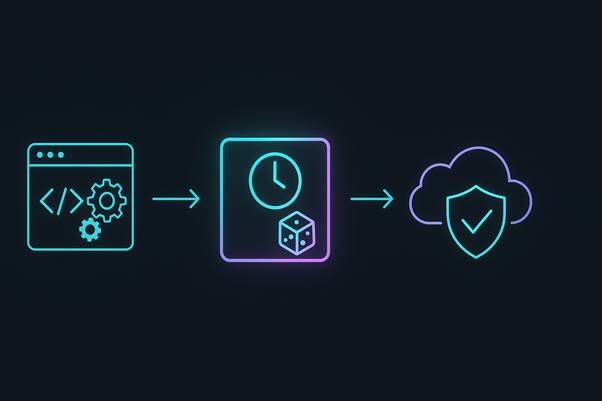
Add random delay:
| import time import random def solve_captcha_with_delay(service, captcha_id): “”” Solve CAPTCHA and add a natural delay before sending the answer “”” result = service.solve(captcha_id) # e.g. SolveCaptcha.submit() # Base delay depends on CAPTCHA type base_delay = random.uniform(8, 15) # if service_speed < 5 sec, add 8-15 sec jitter = random.uniform(0, 3) # noise of 0-3 sec time.sleep(base_delay + jitter) return result |
Occasionally inject “errors”:
| import random def maybe_fail_captcha(fail_rate=0.03): “”” In 3% of cases, intentionally send a wrong answer to look like a human mistake “”” if random.random() < fail_rate: return False # simulate a failure return True |
Use different services for different CAPTCHA types:
| def solve_captcha(captcha_type, captcha_data): “”” Different services for different types look more natural “”” if captcha_type == “recaptcha_v2”: # Complex multi-round → manual (slower) service = AntiCaptcha() time.sleep(random.uniform(2, 5)) # extra delay before submit elif captcha_type == “image_simple”: # Simple → hybrid (but with delay) service = SolveCaptcha() time.sleep(random.uniform(5, 10)) # mask fast AI solution else: service = TwoCaptcha() # fallback to most conservative return service.solve(captcha_data) |
Monitoring profile metrics
To understand whether your choice of CAPTCHA service affects profile TTL, log:
Example metrics structure:
| { “profile_id”: “abc123”, “date”: “2025-12-03”, “captcha_service”: “SolveCaptcha”, “metrics”: { “captchas_served”: 3, “captchas_solved”: 3, “avg_solve_time_seconds”: 4.2, “solve_errors”: 0, “detection_events”: 2, // “suspicious” events / extra challenges “smtp_confirmations_requested”: 1, // SMS/Email confirmations “profile_ttl_remaining_days”: 18 } } |
If you see that:
– avg_solve_time_seconds < 3 → the profile is in danger, switch to 2Captcha;
– detection_events grow day by day → change provider;
– profile_ttl_remaining_days is falling fast (−1 day per day instead of −0.2) → your CAPTCHA service is killing the profile.
How a CAPTCHA-service can trigger an infinite challenge loop
“Infinite Challenge Loop” pattern
There is a well-documented pattern in protection systems (Cloudflare, hCaptcha, Google reCAPTCHA with Brave/privacy-oriented browsers):
If the site sees:
- very fast CAPTCHA solves (1-3 seconds);
- a high retry rate (the same challenge is solved 3+ times);
- unusual sequences (all CAPTCHAs in one minute, then a pause, then again);
…it can enable a “suspicion mode”, where:
- CAPTCHA is shown on every action instead of rare checks;
- even if you solve it, a new one appears 30 seconds later;
- using audio CAPTCHA may sometimes auto-block you (assumed bots can’t listen);
- the only way out is to restart the browser and wait a few hours.
This can last for days – until the site’s ML model “calms down” and reclassifies you as legitimate.
How to avoid it:
- Don’t switch to an overly fast CAPTCHA service;
- Add pauses between CAPTCHAs where possible;
- Don’t resend the same CAPTCHA twice in a row (the site sees it);
- If a loop has started, stop activity for 6-24 hours and let the profile “cool down”.
The “chopped up and tossed around” profile syndrome
There is a weird effect: if you use a combination of services (day 1 – CapSolver, day 2 – 2Captcha, day 3 – SolveCaptcha), it may be worse than sticking to a single service, even if that one is slower.
Why? Because the anti-bot system sees:
| 12:34 — CAPTCHA solved in 1.2 s (CapSolver — AI) 14:22 — CAPTCHA solved in 18 s (2Captcha — manual) 16:45 — CAPTCHA solved in 4 s (SolveCaptcha — hybrid) |
It looks like “the profile is sometimes under a bot, sometimes under a human”, which signals that something is off. The system may interpret this as an attempt to alternate services to bypass detection.
Recommendation: choose one CAPTCHA service per profile and stick to it. If you switch, do it rarely (once a month at most), and only with a plausible “story” (e.g., the previous provider was compromised).
Quick selection table
Keep this table handy:
| Scenario | Service | Typical TTL | Detection Rate | Cost vs baseline | Notes |
| Long-lived profile (>3 months) | 2Captcha | 90-120 days | 8-12% | 1.0x | most conservative, detection grows slowly |
| Mid-term (30-60 days) | SolveCaptcha + delays | 45-60 days | 12-18% | 0.7x | requires engineering work |
| Short-term (7-14 days) | CapSolver | 10-14 days | 25-35% | 0.6x | fast, but profile is at risk |
How not to kill a profile with the wrong CAPTCHA-service choice

Don’t use CapSolver/CapMonster for long-lived profiles without adding delays. They will kill a profile in 2-3 weeks.
- 2Captcha is the conservative default if you’re unsure. It’s slower, but there are fewer red flags, and profile TTL can be 3-4 times higher than with AI services.
- SolveCaptcha is a compromise. If you have an engineer to add timing noise and delays, it’s optimal in terms of price/quality. Without delays – risky.
- Using different services for different CAPTCHA types (manual for complex, AI for simple) can work, but must be tested on the target site.
- Track metrics: if avg_solve_time and detection_events are climbing in parallel, your CAPTCHA service is killing the profile. Switch.
- One service per profile – don’t alternate. It looks like an evasion tactic.
- Add random delays and periodic “mistakes” in code, even with conservative services. This alone can give you +20-30% to profile TTL.
Choosing a CAPTCHA-solving service is not just about saving money. It’s a key factor in profile viability, often underestimated compared to browser fingerprints and proxies. A single wrong choice can burn your entire fleet of profiles.